Worked memory budget
Leave space for the live service
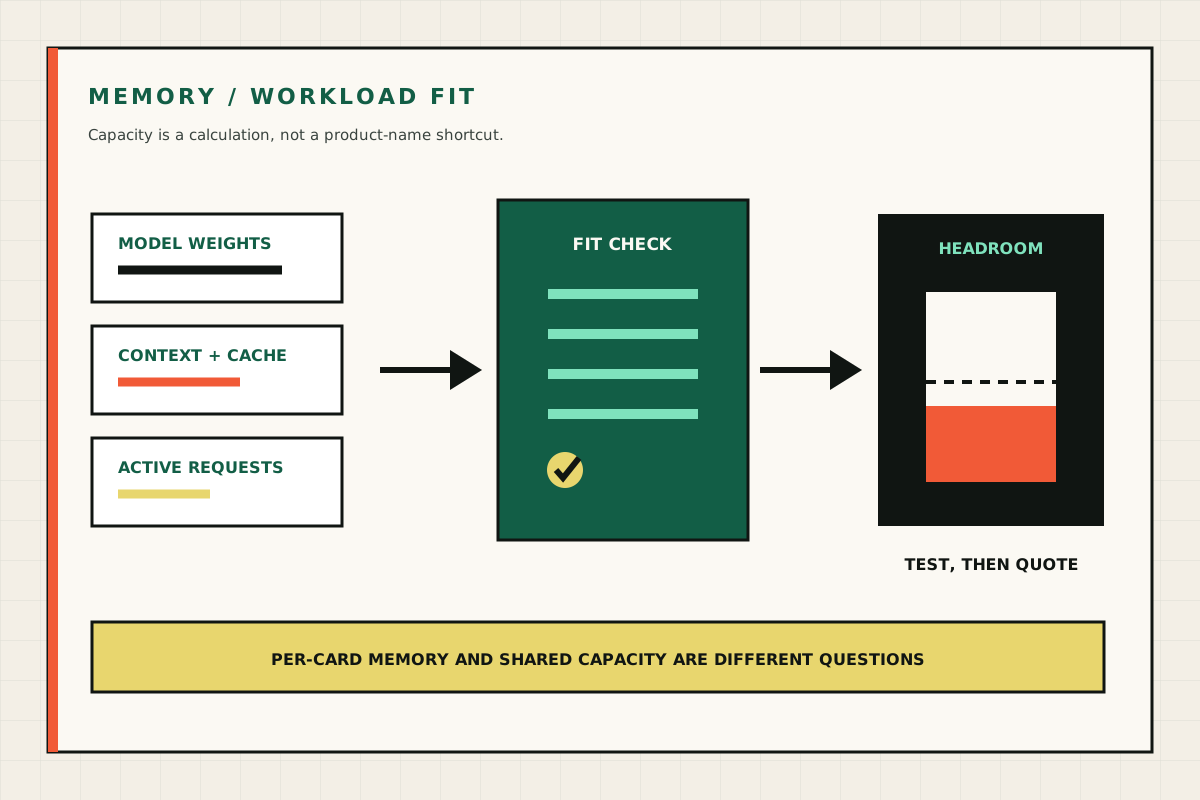
A model file fitting in VRAM does not prove that the serving workload fits. Build the budget from all active consumers.
- Weights Exact model version and tested quantisation
- KV cache Context, active sequences and response length
- Runtime Kernels, graphs, buffers and serving framework
- Headroom Operational margin and any adjacent services
Increase context or concurrency and the cache can grow even when the model weights stay unchanged.
The useful answer is not “X billion parameters need Y gigabytes”. Model weights are only one part of GPU memory use, and a server with several cards does not necessarily expose one combined memory space.
Use this page as a sizing framework, then test the exact model, quantisation, runtime, context and concurrency on the proposed build.
Per-GPU VRAM versus aggregate VRAM
Per-GPU VRAM is the memory available on one accelerator. Aggregate VRAM is the arithmetic total across all accelerators.
A pair of 24GB GPUs provides 48GB aggregate. A model larger than 24GB only works if the runtime and model can be divided across the cards, or if some data is offloaded elsewhere. Inter-GPU transfer, topology and software support can affect the result.
Four GPUs can also be more useful as four independent endpoints than as one sharded service. This is often true for mixed models, rendering, transcription or separate departmental workloads.
What consumes memory?
Model weights
The model’s parameters occupy memory according to their representation. Lower-bit quantisation can reduce the weight footprint, but quality and runtime support need testing. File size alone is not a safe prediction of loaded memory.
KV cache
The key-value cache stores attention state for active sequences. It grows with context, batch and concurrent requests. A model that fits comfortably for one short prompt can run out of memory when several users submit long documents.
Runtime overhead
CUDA context, kernels, graphs, buffers and the serving framework need headroom. Different runtimes make different trade-offs.
Embeddings, rerankers and other services
A retrieval service may also run embedding and reranking models. They can share a GPU, use another GPU or run on CPU depending on volume and latency.
A practical sequence
- Choose the smallest model likely to pass the quality test.
- Select a supported quantisation and runtime.
- Set the real context and expected response length.
- Estimate simultaneous active requests - not the total staff directory.
- Add memory headroom for cache and runtime.
- Decide whether the service should be single-GPU, sharded or replicated.
- Test the exact configuration.
Useful memory bands
These are conversation starters, not performance promises:
| Per-GPU VRAM | Typical evaluation territory |
|---|---|
| 16–24GB | Smaller quantised language and specialist models; single-user or low-concurrency proofs |
| 32GB | More headroom for context, larger quantised models or busier independent workers |
| 48GB | Useful single-GPU step for larger models and context where available |
| 80–96GB | Large-model inference, longer context or greater cache headroom on one endpoint |
Model architecture, quantisation and runtime can move the boundary substantially. Consult the exact model card and benchmark the intended service.
Context is a business choice
Very long context is not free and is not always the best retrieval design. Passing an entire document library into every request wastes memory and can reduce answer quality.
For retrieval-augmented generation, improve document structure, chunking, permissions and reranking before buying enough GPU memory to carry an avoidably large prompt.
Size concurrency honestly
One hundred named users rarely means one hundred simultaneous generations. Measure:
- active sessions at the busiest period;
- prompt and response length;
- time between requests;
- latency users will accept;
- which workloads can queue;
- whether different teams can use separate models.
Report latency percentiles and throughput at the tested concurrency. A single best-case tokens-per-second number does not describe a shared service.
CPU offload and system RAM
Some runtimes can place part of a model or cache in system memory. This can enable a workload that does not fit fully in VRAM, but typically changes speed and latency. PCIe bandwidth and CPU capability matter.
System RAM should also cover the operating system, file cache, vector store, ingestion work and operational headroom. More system RAM does not turn slow offload into GPU memory.
What to ask a seller
Ask for a benchmark row containing:
- exact GPU and count;
- model repository and version;
- quantisation;
- runtime and version;
- context length;
- input and output lengths;
- batch and concurrency;
- time to first token;
- generation throughput;
- peak VRAM;
- measured wall power and maximum temperature.
If those conditions are absent, the number is not comparable.
Bottom line
Buy for an accepted workload, not a parameter badge. Per-GPU memory determines the simplest fit. Aggregate memory becomes useful only with an explicit execution pattern. Leave room for cache and operations, then verify on the exact machine.
Technical context
See the physical and operating boundary
Use these views to connect the guide to the machine, its airflow and its operating environment. Captions state the limits of what each image shows.



Benchmark record
A comparable result needs its conditions
Record the complete test row. A single throughput number without workload conditions cannot support a buying decision.
- GPU and topology Exact count, per-GPU VRAM and system configuration
- Version and format Repository, revision, quantisation and runtime
- Prompt conditions Context, input, output, batch and concurrency
- Useful measures Latency, throughput, peak VRAM, power and temperature
Repeat the test on the proposed machine with representative, permission-safe material.
Primary sources
Sources are checked at the review date. Platform terms, prices and public guidance can change; verify them at the point of decision.